Pollo AI: AI Video & Image
- 4.2
- Rating
- 1.00M
- Installs
- Free
- Price

 Analysis by App-foxy
I approached Pollo AI: AI Video & Image as a practical creative tool rather than a conventional video editor. It sits in the video players and editors category, but its appeal is really about using artificial intelligence to turn an idea into visual content. That makes it interesting for people who want to experiment with short videos, images, stories, or designs without starting every project from a blank timeline.
My first impression was that it is aimed at reducing the distance between an idea and a finished visual. Instead of requiring advanced editing knowledge, the app encourages a more direct workflow: describe what you want, explore the result, and refine the direction. That approach can be liberating when I am working on a quick concept, although it also means I have to accept a different kind of control from the one offered by a traditional editor.
What Pollo AI is really useful for
The developer is COCOSOFT TECHNOLOGY PTE. LTD., and the app is free to install with an Everyone age rating. It reached the store on January 22, 2025, and the current version is 4.0.0, with Android 7.0 or later required. Those details make it accessible to a broad range of Android users, including people using older devices that cannot run the newest operating system versions.
You May Also Like

 Blood Strike: 2.5 Anniversary
Blood Strike’s Loadouts Turn Every Drop Into a Tactical Gamble
A close look at Blood Strike’s custom loadouts: how fast access to signature weapons reshapes its battle royale rhythm, rewards preparation, and narrows the gap between fights.

 Pandora - Music & Podcasts
Pandora’s Music Is Easy to Start, but Harder to Recover
Pandora’s strength is its low-effort path from a seed to a station. Its weak spot is how much confidence it asks you to place in connection, setup, and quiet recovery.

 8 Ball Pool
 Is Built on Rivalries, Rematches, and Routine
A close look at the rivalries, rematches, shared routines, and unanswered safety questions that turn a quick pool match into a persistent mobile community.

 Samsung Music
’s Quiet Strength Is Playing What You Already Own
Its reach comes less from spectacle than from dependable access to a personal library. That simplicity is both the app’s strongest retention engine and its ceiling.

 AccuWeather: Weather Radar
AccuWeather Review: A Quick, Clear Forecast for Everyday Decisions
For everyday plans, the best forecast is the one you can understand quickly. AccuWeather makes rain timing, radar, and local conditions easy to act on, with a few trade-offs.

 Hill Climb Racing
Why Hill Climb Racing Still Turns Crashes Into One More Run
A tiny car, a bumpy hill and one more upgrade: Hill Climb Racing keeps resurfacing because its simple chaos makes every near-miss feel personal.
More From Our News Desk



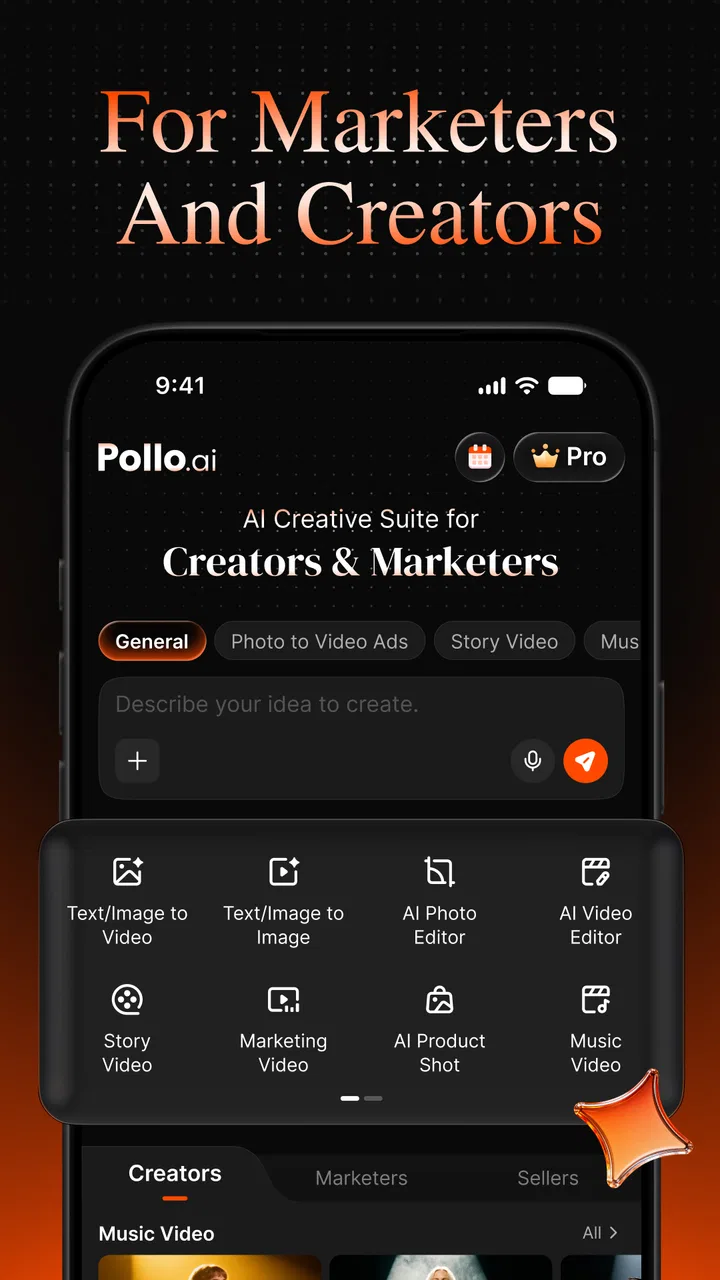
The store positions it around marketing, stories, and design, which gives a better idea of its intended audience than the broad editor category alone. I would use it for a social post concept, a visual draft for a small campaign, a playful story scene, or an image that needs a more imaginative starting point. It is less convincing as a replacement for a full professional editing suite where exact timing, audio mixing, color work, and frame-by-frame decisions matter.
The most important distinction is that this is an idea-generation tool as much as an editing app. A normal editor assumes I already have footage, photographs, or a clear sequence to assemble. Pollo AI is more useful when I have a sentence, a mood, or a rough visual direction and want help turning that into something shareable. That difference affects both its strengths and its limitations.
Free access and the real cost boundary
There is no upfront purchase price, so trying the app does not require a payment at installation. That is valuable because AI creative tools can feel difficult to judge from screenshots alone. I can test whether the visual style suits my needs before deciding whether it deserves a place in my regular workflow.
The important caveat is that in-app purchases range from $3.99 to $849.99 per item. That is a very wide range, so I would not treat the word “free” as a promise that every useful output or every level of usage will remain free. The sensible approach is to explore the no-cost experience first, pay attention to what the app presents during creation, and only consider a purchase after I understand how often I would actually use the service.
This pricing structure also changes how I judge value. Someone who needs one occasional concept may find free access sufficient. A creator producing visual material repeatedly may see paid access as a way to reduce friction, but the value depends on the specific purchase and personal usage pattern. I would avoid buying at the highest end simply because a feature looks impressive in a single session; recurring creative value matters more than one successful experiment.
Turning a rough idea into a usable visual
What I like about the concept is the lower starting barrier. When I use a traditional editor, the first five minutes can be spent importing material, choosing a canvas, arranging layers, and deciding on a format. An AI-focused workflow lets me begin with the creative intention instead. That is especially helpful for a person who knows the message they want to communicate but does not yet have the assets to communicate it.
A practical workflow is to begin with a narrow brief rather than a vague request. I would describe the subject, the setting, the mood, and the intended audience, then assess whether the result supports the message. If the first output is too broad, changing one element at a time makes it easier to understand what improved the result. Randomly changing everything may produce surprising images, but it makes the process harder to repeat.
For marketing work, I would treat the first result as a visual direction rather than final campaign material. It can help me compare a playful concept with a more polished one, build a rough story around a product, or prepare an internal presentation. The app is most valuable at this stage because it can help a small team discuss an idea before investing time in a complete production.
For storytelling, the same workflow can become a way to create atmosphere. I might use one result to establish a character or location, then adjust the wording to keep later images closer to that direction. Consistency is the difficult part of AI-assisted creation, so I would save useful prompts and visual references instead of relying on memory. That small habit makes experimentation more organized and reduces the feeling that every result is unrelated to the previous one.
Where it fits beside ordinary editors
Compared with a conventional mobile video editor, Pollo AI is better suited to generating or exploring visual material than to meticulous assembly. A standard editor remains the better choice when I already have clips and need reliable trimming, captions, transitions, audio placement, or precise timing. Those apps are built around control over existing media, while this one is built around creative transformation and generation.
It also differs from a basic image editor. A layer-based editor gives me dependable control over individual objects, retouching, typography, and exact composition. Pollo AI is more useful when I want a starting point that would take longer to create manually. I would often pair the two approaches: use AI to explore a concept, then use a conventional editor when the final layout needs to be exact.
That combination is one of the strongest ways to use it. It prevents me from expecting the app to perform every stage of a production pipeline. The AI stage can supply variety and inspiration, while the regular editor handles consistency and finishing. For a casual creator, that may be unnecessary complexity; for a designer or marketer, it can be a practical division of labor.
Small workflow choices that make a difference
One useful habit is to separate exploration from approval. I would generate several directions first, then judge them against the actual purpose of the project. The most visually dramatic result is not automatically the most useful one. A quieter image with clear subject placement may work better for a title, advertisement, or story panel than an impressive but crowded composition.
Another tip is to write prompts in layers of importance. I would put the main subject and action first, then the environment, visual mood, and composition. If the output misses the central subject, adding more decorative wording usually makes the request less clear. This is not a magic formula, but it encourages deliberate iteration instead of endlessly adding adjectives.
I would also keep a manual record of the versions I like. AI workflows can produce a large number of disposable results, and it is easy to forget which wording created a promising direction. Saving the prompt beside the exported image, when appropriate for my project, turns a one-off discovery into something I can revisit. This is particularly helpful for a small business that may need related visuals later.
A final practical point is to review every generated result before sharing it. I would check text, faces, hands, logos, object relationships, and whether the image actually communicates the intended message. AI can make a result look polished at a glance while still introducing details that weaken trust. For personal experimentation that may be harmless; for marketing or public storytelling, it deserves a careful human check.
The tradeoffs I noticed
The first tradeoff is control. The app can shorten the path from idea to visual, but the result may not follow my intention perfectly. Traditional editing gives predictable commands, whereas AI creation involves interpretation. I have to be comfortable with adjusting the request and selecting the closest result rather than expecting every element to land exactly where I imagined.
The second is consistency. A single image can look convincing, but a series may require more discipline. If I need the same character, product, or visual identity across multiple scenes, I would not assume that one successful output guarantees a matching sequence. This is a reason to use the app for concept development or selected assets rather than automatically making it the only tool for a complete branded package.
The third tradeoff is cost uncertainty at the point of regular use. Free installation makes testing easy, but the broad range of in-app purchase amounts means I would examine the purchase screen carefully before committing. I would compare the expected benefit with my actual frequency of use, not with the excitement of the first result. A person who creates once a month may have a very different value calculation from someone producing content every day.
There is also a quality-control tradeoff. AI can help me move quickly, but speed can encourage shallow decisions. If I accept the first attractive result, the final content may feel generic or disconnected from its purpose. The app rewards users who are willing to curate, revise, and combine its output with their own judgment.
Who will get the most value
I think the best audience is a curious creator who wants to develop visual ideas without mastering a complex production workflow first. It can suit social media users, independent storytellers, students working on visual concepts, and small businesses that need early marketing directions. The free entry point is particularly useful for these groups because they can discover whether the creative process feels natural before considering a purchase.
It may also help a designer during the early, less polished stage of a project. When the challenge is not finishing a layout but finding a visual route, rapid variations can be more useful than a blank canvas. I would use it to challenge my first idea, create alternatives for discussion, or find a mood that I could later rebuild more precisely elsewhere.
I would recommend skipping it as a primary tool if the main requirement is exact professional editing. Someone who needs detailed timeline work, dependable asset management, precise typography, or repeatable brand production will probably be happier with a dedicated editor. The same applies to users who dislike iterative prompting and want every adjustment to behave like a direct, visible editing command.
It is also not the right choice for someone who cannot tolerate checking generated content carefully. The convenience is real, but it does not remove responsibility for reviewing the result. If a project involves public-facing claims, recognizable branding, or a carefully controlled visual identity, I would use the app as assistance rather than as an unattended production system.
My verdict on value
Pollo AI: AI Video & Image has a clear role: it helps me explore visual ideas and create starting points for marketing, stories, and design. Its strongest advantage is not that it replaces every other creative app, but that it makes the first step less intimidating. I can begin with an intention instead of waiting until I have footage, artwork, or a fully formed production plan.
The app has a 4.2 average from around 41 thousand ratings and has passed one million installs, which suggests that its general concept has found a substantial audience. I see those figures as context rather than a guarantee that it will suit every workflow. The real question is whether I need AI-assisted exploration often enough to justify moving beyond free access.
My recommendation is to install it and test a realistic project, not just a novelty prompt. Try a marketing idea, a short story scene, or a design direction that you would genuinely use. If the results save time and give you options you could not easily create yourself, the app may offer meaningful value. If you mainly need precise editing of footage you already own, a conventional editor remains the better investment.
My bottom line: use the free entry point as a practical trial, treat generated content as a draft until you inspect it, and pay only when the app repeatedly solves a real creative problem. That makes Pollo AI a worthwhile companion for experimentation and early-stage production, while keeping expectations realistic about control, consistency, and the cost of heavier use.
FAQs for Pollo AI: AI Video & Image
01What is Pollo AI: AI Video & Image used for?
Pollo AI is a creative tool for generating and editing visual content with artificial intelligence. It can turn text prompts or reference images into short videos, animate still pictures, create stylized visuals, and apply different effects. The app is aimed at social media creators, marketers, and casual users who want to experiment with AI-generated images and videos without needing advanced editing experience.
02Is Pollo AI: AI Video & Image free to download and use?
The app can generally be downloaded without an upfront purchase, but access to features, generation limits, export options, or higher-quality results may depend on credits, subscriptions, or in-app purchases. Free users may receive a limited number of generations or have restrictions during busy periods. Before creating a large project, it is worth checking the current pricing, trial terms, and renewal conditions shown in the app.
03What kind of content can I create with Pollo AI?
Pollo AI supports several types of AI-assisted creation, including text-to-video, image-to-video, AI image generation, and visual transformations based on prompts or uploaded media. Results can range from realistic scenes and animated portraits to artistic clips and social-media-style effects. The final quality depends heavily on the prompt, source image, selected model, duration, and available generation settings.
04Does Pollo AI require an internet connection or a powerful phone?
Yes, Pollo AI relies primarily on cloud-based processing, so an active internet connection is normally required to submit prompts, upload images, generate content, and download results. A modern phone is helpful for browsing and editing, but the most demanding AI work is handled online. Generation speed can still vary according to your connection, server demand, project complexity, and account plan.
05Are there privacy or copyright concerns when using Pollo AI?
Before uploading personal photos, business materials, or other sensitive files, users should review Pollo AI’s privacy policy and understand how submitted content may be processed or stored. You should also have permission to use any image, face, logo, music, or video included in a project. AI-generated output may not always be exclusive, and commercial usage rights can depend on the specific plan and platform terms.
Pros
- Creates videos from text or images with minimal editing skills.
- Offers multiple AI styles and effects for creative experimentation.
- Supports image animation
- turning still photos into short videos.
- Useful for social media content
- promos
- and quick visual concepts.
- Cloud-based generation avoids needing powerful phone hardware.
Cons
- Generation quality can vary noticeably between prompts and styles.
- Some advanced tools or credits may require a paid subscription.
- Video rendering may take time during busy periods.
- AI results can include distorted faces
- hands
- or small details.
- Frequent generation can consume credits faster than expected.

Pollo AI: AI Video & Image
Gallery